
Boost Your Tech Career with rss job feeds and Instant Job Alerts

Picture this: a job board built just for you, showing you only the roles you actually want, the second they go live. That's the secret weapon behind RSS job feeds. It’s a simple but powerful system that flips your job hunt on its head, moving you from actively searching to automatically receiving. In a crowded remote job market, it's how you get ahead.
What Are RSS Job Feeds and Why Should You Care?

At its heart, RSS (which stands for Really Simple Syndication) is just a way to get updated content delivered straight to you. Think of it like a personalized newspaper. Instead of checking ten different news sites every morning, you just subscribe to their "feeds," and all the new articles pop up in one place—your RSS reader.
Now, let's apply that same idea to your job search. Instead of refreshing multiple job boards all day, you subscribe to their RSS job feeds. Suddenly, every new opening that fits your specific criteria lands in your personal dashboard, almost in real-time. No more hunting required.
To put it in perspective, here's a quick look at why this approach is so effective.
RSS Job Feeds At a Glance
| Feature | Benefit for Job Seekers | Benefit for Employers |
|---|---|---|
| Automation | Stops the endless cycle of manual searching. | Reaches a highly motivated, tech-savvy audience. |
| Timeliness | Get instant alerts on new listings. | Connects with proactive candidates faster. |
| Customization | Filter for roles, skills, and locations you want. | Attracts applicants who are a better fit from the start. |
| Centralization | Pulls all relevant jobs into one dashboard. | Distributes openings widely with minimal effort. |
This simple shift from manual searching to automated delivery is a game-changer for staying competitive.
The Grind of Traditional Job Searching
Let’s be honest, the old way of finding remote work is broken. It’s draining. You sink hours every week into visiting the same sites, plugging in the same keywords, and weeding out dozens of irrelevant posts. It's a repetitive slog that quickly leads to "job board fatigue," where the search itself feels more demoralizing than the rejections.
Even worse, you’re always playing catch-up. That perfect remote job might get posted and filled in less than 24 hours, long before you even see it during your next scheduled search.
"The biggest advantage of RSS is timeliness. It puts you in a position to be one of the first applicants by eliminating the delay between when a job is posted and when you discover it."
In a competitive market, being first matters. By letting technology handle the discovery, you can save your energy for what really counts: writing killer applications. To learn more about optimizing your approach, check out our guide on https://www.remoteweek.io/blog/how-to-find-remote-jobs and stand out.
How RSS Changes the Game
RSS job feeds completely change the dynamic. You go from a passive scroller to an active recipient of hand-picked opportunities. It's a win-win for both ambitious job seekers and the companies trying to find them.
For Job Seekers: You get a serious competitive edge. Instant notifications for hyper-specific roles save you countless hours and eliminate the fear of missing out.
For Employers: Companies can push their job openings to a more engaged audience. Offering an RSS feed is a direct line to candidates who are serious and proactive about their careers.
This is exactly how platforms like RemoteWeek deliver the freshest remote tech jobs. In the background, services are constantly collecting millions of new international job postings each month from giants like Indeed, LinkedIn, and Glassdoor, then making them available through clean, simple RSS feeds. Modern tools are even taking this a step further, like the MyEarlyBird AI platform, which uses AI to serve up early and relevant job alerts.
The Top Benefits of Automating Your Job Hunt
Let's be honest: manually checking job boards every single day is a surefire way to burn out. Using RSS job feeds to automate your search flips the script, moving you from a reactive, repetitive grind to a proactive, strategic position. The benefits aren't just about convenience—they give you a real competitive edge in a fast-moving job market.
Think about the typical job seeker. Let's call her Alex. Every morning, Alex opens ten different browser tabs, types the same keywords into each search bar, and then sifts through hundreds of listings, most of which are a complete miss. By the end of the week, she's exhausted, her inbox is overflowing with generic alerts, and it feels like the search is going nowhere. This is classic "job board fatigue."
RSS feeds are the perfect antidote. Instead of you pulling information from dozens of sites, the right opportunities are pushed directly to you, already filtered and organized before you even see them.
Gain Serious Efficiency
The most immediate payoff is the time you get back. Hunting for a job can feel like a full-time job in itself, but so much of that time is spent on repetitive, low-impact tasks. Automating the discovery process frees you up to focus your energy where it truly counts: crafting standout applications and nailing interviews.
Think of an RSS feed as your personal recruiting assistant. It works 24/7 to find roles that match your exact criteria, letting you spend your valuable time on the activities that will actually land you the job.
By automating the repetitive parts of your job search, you reclaim valuable time and mental energy. This allows you to shift your focus from simply finding jobs to actually winning them.
This efficiency is especially critical in the booming remote tech world. Job platforms like RemoteWeek curate feeds from trusted sources, creating real-time RSS streams that keep you ahead of the curve. It's a game-changer when you're targeting high-demand, specialized roles.
Achieve Deep Customization
Generic job alerts from most boards just don't cut it. You’ll get pinged about a "Software Developer" role when you’re really looking for a "Senior Backend Engineer" with Python and AWS experience. RSS feeds, on the other hand, give you a level of customization that standard alerts can't touch.
You can create feeds that are as broad or as laser-focused as you need. This granular control means you only see what’s genuinely relevant.
- Keyword Filtering: Set up feeds for exact job titles, must-have skills, or specific programming languages.
- Company Targeting: Follow the career pages of just your dream companies.
- Location Specificity: Filter for roles in a particular city, country, or—of course—for 100% remote positions.
This kind of precision turns your job feed into a curated list of high-potential opportunities, not an ocean of noise. For more tips on fine-tuning your search, resources like WaterTechIntel's career blog offer some great insights.
Get Ahead with Real-Time Speed
In a competitive market, speed is everything. The best remote jobs can attract hundreds of applicants within the first 48 hours. If you're only checking job boards once a day, you could already be too late.
RSS feeds deliver new job postings almost instantly. As soon as a company posts a new role that matches your criteria, it appears in your RSS reader. This gives you the chance to be one of the very first applicants, which can dramatically increase your visibility with recruiters. Being early shows you’re organized, eager, and serious about the opportunity.
How to Find and Subscribe to RSS Job Feeds
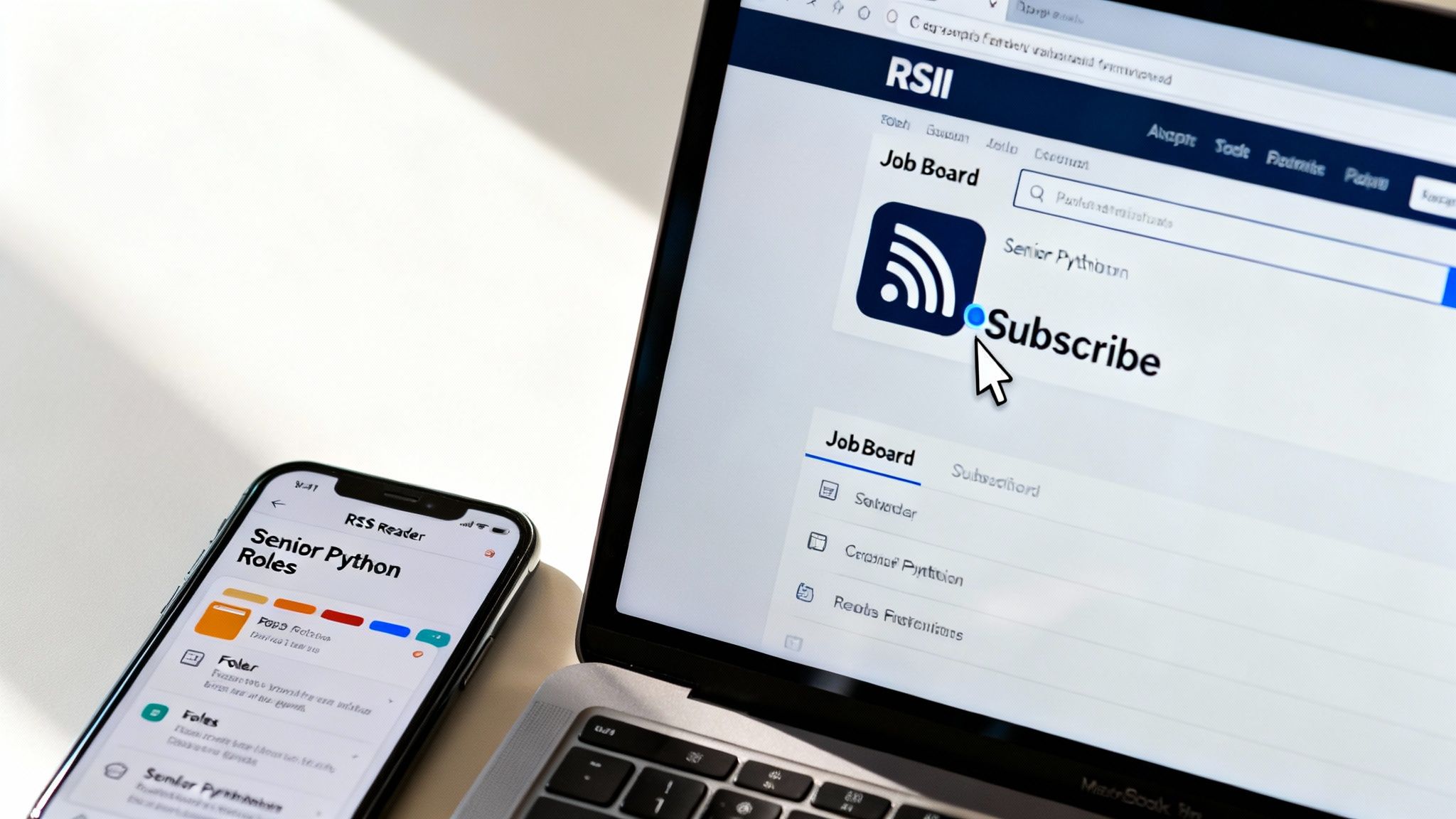
Alright, you get why automating your job search is a game-changer. Now for the fun part: making it happen. This is where we turn theory into a practical skill you can use today. We’re going to walk through finding RSS job feeds and plugging them into a central dashboard so you can stop chasing jobs and have them come to you.
The whole process boils down to two simple phases: first, locate the feed URL, and second, add it to an app called an RSS reader. Let's tackle them one by one.
Locating Your First RSS Job Feed
Think of finding an RSS feed like a little treasure hunt. The prize isn’t gold, but something even better—a direct pipeline to your next remote job. Most job boards and company career pages have them, though they're not always advertised on the front page.
Here’s where to look and how to find them:
- Spot the Icon: Keep an eye out for the classic orange RSS icon. You’ll usually find it in the header, footer, or sidebar of a job search results page. See it? You're in.
- Drill Down into Categories: Many of the best remote job boards offer specific feeds for different roles. If you head to a category like "Software Engineering" or "Marketing," you’ll often find a dedicated RSS link there.
- Search the Site: If a link isn't obvious, try a quick search. Use the site’s search bar or head to Google and type in something like "site:companywebsite.com RSS" to uncover any feeds they have tucked away.
If you’re still coming up empty, don’t worry. Some clever browser extensions are designed to automatically detect hidden RSS feeds on any webpage, making your job even easier.
Choosing and Setting Up Your RSS Reader
Once you’ve got that feed link, you need a place to put it. That place is an RSS reader (or aggregator). This is the app that will pull in all your job feeds and display them in one clean, organized dashboard. It’s basically your personal command center for the job hunt.
Instead of bouncing between ten different websites every morning, you just open one app. Here are a few solid choices to get you started:
- Feedly: Probably the most popular reader out there. It has a beautiful interface, great mobile apps, and powerful organizational tools.
- Inoreader: A fantastic option for power users who want to create advanced filters and rules to automate their feeds even further.
- The Old Reader: A simple, no-fuss reader that’s perfect if you’re just getting started and want a straightforward experience.
Which one you choose is really up to you. They all do the same core job: transforming a chaotic search into a calm, orderly stream of new opportunities.
Subscribing and Organizing Your Feeds
You have your feed URL and you’ve picked a reader. The last step is to connect the two. It's usually as simple as finding a "Subscribe" or "+" button inside your reader, pasting the feed URL, and hitting enter.
Instantly, the reader will pull in the latest job postings, showing you the title, company, and a quick summary. This is what made RSS so indispensable for job syndication. By 2020, an estimated 87% of job aggregators were using RSS to power their real-time listings, a technology that proved essential during the hiring spikes of the pandemic.
But don't just dump every feed you find into a single massive list. That’s a recipe for overwhelm.
Pro Tip: Organization is what separates a useful tool from just another source of digital noise. As you subscribe to more feeds, create dedicated folders or categories to keep things tidy.
Try setting up folders that match your job search strategy. For example:
Senior Python RolesUX Jobs - SFDream CompaniesEarly-Stage Startups
This simple bit of organization lets you zero in on your top priorities first, giving you a huge advantage when it comes to applying early and getting noticed.
Creating Your Own Custom RSS Job Feeds
While pre-made RSS job feeds are a fantastic starting point, what happens when your job search gets really specific? Maybe you're not just looking for a remote software engineer role, but something like a "remote Rust developer in Europe with a focus on fintech." The standard feeds can suddenly feel way too broad, flooding you with noise.
This is where you take back control. By building your own custom RSS feeds, you can create a system so finely tuned that almost every notification is a potential winner. You set the rules, ensuring you never miss that perfect-fit opportunity.
Turning Any Job Search Into a Personal Feed
The most powerful trick in the book is to turn a specific job search URL into your own personal RSS feed. This little hack works with just about any job board out there, giving you incredible flexibility.
Think about it. You go to a job site and run a detailed search, filtering by keywords, experience level, location—the whole nine yards. That results page is a perfect snapshot of your ideal job. Instead of bookmarking it and checking back every day, you can turn it into a live, automated stream of new listings.
This is where services like FetchRSS or RSS.app come in. They act as a bridge, taking that unique search URL you created and generating a brand-new, subscribable RSS link from it.
A Quick Tutorial for Creating a Custom Feed
Let’s walk through that "remote Rust developer in Europe" example.
Perform Your Search: Head to your favorite job board and dig into its advanced search functions. Enter your keywords (“Rust developer”) and apply your filters for location (“Europe”) and work style (“Remote”).
Copy the URL: Once the results pop up, copy the entire URL from your browser's address bar. This link is special because it contains all the parameters of your highly specific search.
Use a Feed Generator: Now, go to a tool like FetchRSS. You'll see a box where you can paste your job search URL. Do that, and click the button to generate the feed.
Subscribe to Your New Feed: The tool will spit out a brand-new RSS link. Just copy this link and add it to your RSS reader (like Feedly or Inoreader) just like you would with any other feed.
And that's it. You now have a personal RSS job feed that will automatically update with new postings matching your exact criteria. No more wading through irrelevant roles; only the best-fit jobs will show up.
This approach puts the power back in your hands. You're no longer limited by the categories a job board decides to offer; you become the architect of your own job search, building a system tailored to your exact career goals.
Refining Feeds with Advanced Filtering
Creating a feed from a URL is a game-changer, but you can add another layer of precision: filtering within your RSS reader itself. This technique is perfect when you find a good, but still slightly noisy, feed that you want to sharpen even further.
Many RSS readers, especially power-user tools like Inoreader, have built-in rule engines. These let you apply simple "if-then" logic to every new item that comes into your feeds.
Let's say you're subscribed to a general "Remote Software Engineer" feed. It's a high-quality source, but it still has plenty of jobs you don't care about. You can set up filters to clean it up on the fly.
- Must-Include Keywords: Create a rule that only shows you articles from that feed if the title or description contains both "AWS" and "Kubernetes."
- Must-Exclude Keywords: Set up another rule to automatically hide any job posting that includes words like "entry-level" or "internship."
- Company Highlighting: You could even create a rule to automatically tag or highlight any job that comes from one of your top ten dream companies.
When you combine custom-generated feeds with this kind of reader-side filtering, you're building a truly intelligent job-hunting machine. This multi-layered approach ensures the opportunities landing in your dashboard aren't just relevant, but are perfectly aligned with what you're looking for.
Integrating Job Feeds into Your Daily Workflow
Having a perfectly curated list of rss job feeds is a huge win, but the real magic happens when you plug that stream of opportunities into the tools you already use every day. This is where you transform a simple notification system into a powerful, automated productivity engine. It's the difference between checking for jobs and having the right opportunities find you, wherever you happen to be working.
Instead of constantly remembering to open your RSS reader, you can have high-priority job listings pop up exactly where you'll see them. This closes the loop and ensures you never miss out on a time-sensitive opening again.
Sending Job Alerts Directly to You
Sometimes the simplest integration is the most effective. Most modern RSS readers and automation tools let you forward new items from specific feeds directly to your email inbox or a team chat app like Slack. This is a fantastic way to stay on top of your most important searches without adding another app to your daily checklist.
Imagine setting up a dedicated Slack channel called #dream-job-hunt. With a simple integration, every new post from your "Top 10 Companies" RSS feed could appear there instantly. This keeps your highest-priority leads right in front of you.
This whole process starts with creating a custom feed, which is surprisingly straightforward.
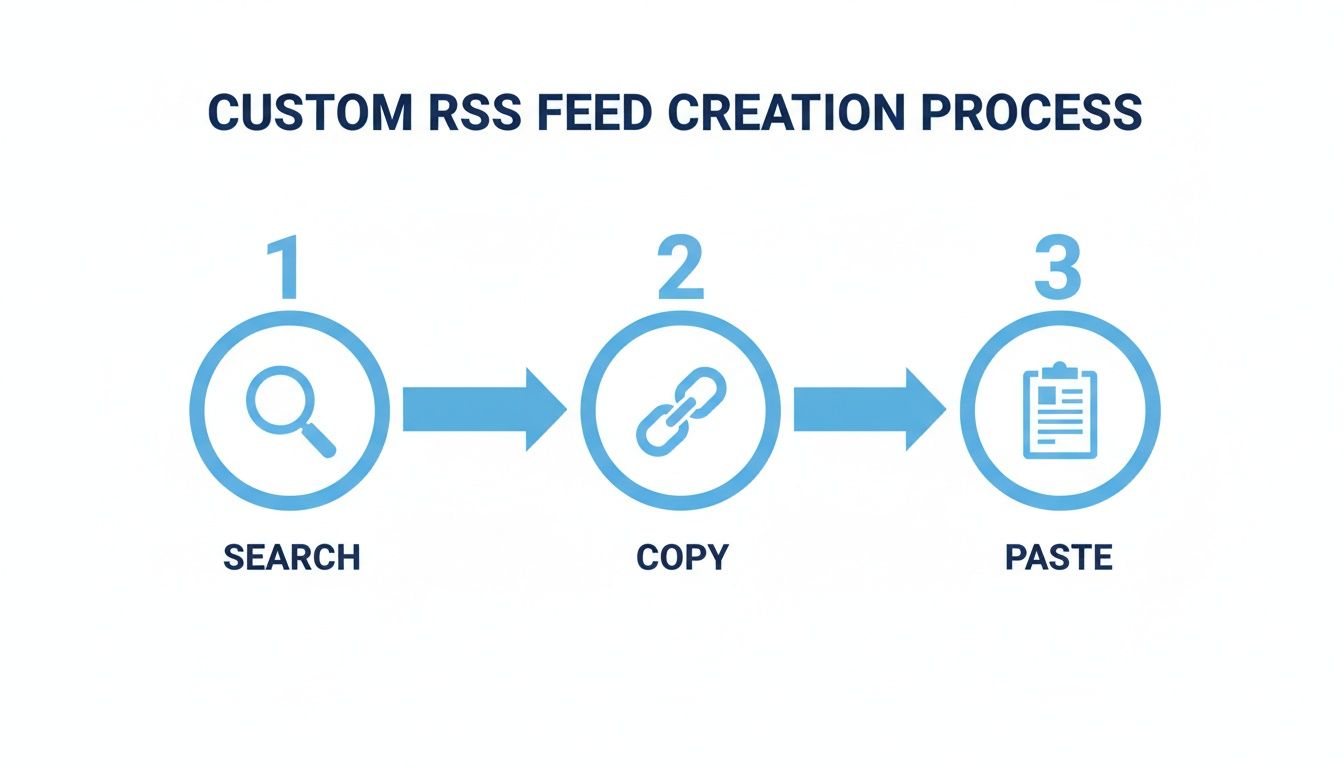
As you can see, it really is just a simple flow of finding the right search, copying its URL, and pasting it into a feed generator. That one-time setup is the foundation for a truly automated workflow.
Putting Your Job Search on Autopilot
Ready to take things to the next level? Automation platforms like Zapier or IFTTT (If This Then That) are your best friends. These services act like a universal translator between different web apps, letting you create simple "if this happens, then do that" recipes. Your RSS feed becomes the trigger that kicks off an entire chain of automated actions.
The possibilities are almost endless. You're no longer just getting alerts; you're building a system that handles the administrative busywork of your job hunt for you.
"Automation is not about replacing human effort, but about augmenting it. By connecting RSS feeds to other apps, you automate the repetitive tasks of job searching, freeing up your mental energy for the strategic work of applying and interviewing."
Here are a few practical automation recipes you could set up in minutes:
- From Feed to Spreadsheet: When a new job appears in your "Senior Python Roles" feed, automatically create a new row in a Google Sheet to track your applications.
- Calendar Reminders: If a job from a specific company feed includes the word "urgent," automatically create a calendar event to remind you to apply within 24 hours.
- Task Management: When you star or save a job posting in your RSS reader, automatically create a new task in your to-do list app (like Todoist or Asana) with the job title and a link to the posting.
And if you'd rather have curated remote opportunities sent directly to you, you can always subscribe to RemoteWeek's newsletter for high-quality listings from trusted companies.
Comparing Popular Integration Methods
Choosing the right integration really comes down to what you need and how comfortable you are with technology. A direct email alert might be all it takes to land your next role, while a more involved Zapier workflow can build a complete job-tracking command center.
This table breaks down the most common options.
| Integration Method | Best For | Setup Complexity | Example Use Case |
|---|---|---|---|
| Email Forwarding | Simplicity and direct notifications for high-priority feeds. | Low | Send any job from your "Dream Company" feed to your inbox. |
| Slack/Teams Alerts | Keeping a dedicated, real-time log of opportunities. | Low | Post all "Remote Marketing" jobs into a specific Slack channel. |
| Zapier/IFTTT | Creating complex, multi-step automated workflows. | Medium | Add a job to a spreadsheet, create a task, and send a text. |
By weaving your rss job feeds into the tools and habits you already have, you build a system that is both responsive and incredibly efficient. It’s a proactive approach that ensures you spend less time searching and more time engaging with the opportunities that will actually shape your career.
Common Mistakes to Avoid with RSS Job Feeds
Alright, you've set up your first few RSS job feeds and you're ready for that automated stream of opportunities to roll in. It's an awesome feeling. But before you get too comfortable, let's talk about a few rookie mistakes that can quickly turn your powerful new system into just another source of digital clutter.
The number one pitfall? Going way too broad with your search terms. It’s tempting to subscribe to a generic feed like "Remote Marketing Jobs" just to see everything that's out there. In reality, you’ll just drown in irrelevant listings for internships, executive roles, and specialties you have zero interest in.
The whole point here is precision. A highly specific feed for "Remote Content Marketing Manager, B2B SaaS" will always be more valuable than a generic one.
The "Set It and Forget It" Trap
Another classic mistake is treating your RSS feeds like a crockpot—just set it and forget it. Think of your RSS reader more like a garden. It needs regular tending to keep the weeds out and make sure the good stuff can grow.
Job sites change, old feeds break, and most importantly, your career goals evolve. What you were looking for last month might not be what you're looking for today.
A little bit of upkeep goes a long way.
- Do a monthly cleanup: Scan your feeds. Is one source consistently sending you duds? Don't be afraid to hit "unsubscribe." Cut it loose.
- Refine your keywords: As you see what's out there, you'll get a better feel for the right titles and terms. Go back and tweak your custom search URLs to zero in on what you really want.
- Check for dead feeds: Every so often, make sure your feeds are still pulling in new posts. If one has gone silent, it's just taking up space.
This isn't about adding another chore to your list. It’s about spending a few minutes a month to make sure your system is actually saving you hours of manual searching.
"A well-maintained RSS system is a strategic asset. An ignored one becomes a liability. The difference lies in spending 15 minutes a month to prune what's no longer working."
Forgetting to Check the Source
Finally, and this one is crucial, don't rely only on the summary you see in your RSS reader. The feed gives you the headline—the title, a quick description, and a link. It's the preview, not the full movie.
The original job posting on the company’s career page is the ultimate source of truth.
Always, always click through to the original post before you even think about applying. You'd be surprised what you'll find there that didn't make it into the RSS snippet—things like specific application instructions, hard deadlines, or even last-minute updates to the job description. That final click is what separates a thoughtful application from a shot in the dark.
Still Have Questions? Let’s Clear Things Up.
Even with all the new job-hunting tools out there, sometimes the simplest, most direct methods work best. Let's tackle a few common questions people have when they first hear about using RSS job feeds.
Is RSS Even a Thing Anymore for Job Hunting?
You bet it is. It might feel like a throwback, but RSS is incredibly good at one thing many modern platforms struggle with: giving you a simple, real-time list of information you actually asked for, with no algorithms getting in the way. It’s just a clean, chronological stream of job openings.
When you're serious about your job search, this direct approach is often way more effective than waiting around for an email alert or compulsively hitting refresh on a careers page. You get the new listings the moment they go live.
Think of RSS as your own personal job scout. It cuts through all the noise and delivers a direct, unfiltered feed of new opportunities, which is a huge advantage when every minute counts.
Can I Create a Feed for a Specific Company I Want to Work For?
Yes, absolutely! This is one of the most powerful ways to use RSS feeds in your job search. A lot of companies, particularly in tech, will have an RSS feed right on their careers page. Just look for that little orange RSS icon or a text link.
If you don't see one, no problem. You can usually create your own custom feed using the URL of their job board and a third-party tool. This is a fantastic strategy for keeping a close eye on your dream companies so you never miss a new opening.
Are RSS Feeds Safe to Use?
The technology behind RSS is inherently safe—it's basically just a simple text file. The only thing to be mindful of are the links within the feed that take you to the actual job application.
As long as you’re getting your feeds from trustworthy sources, like major job boards or official company websites, the risk is practically zero. Just follow a simple rule of thumb: always double-check the website's address in your browser before you start filling out an application with your personal info.
Ready to find a remote role at a company that truly values its employees? Explore vetted opportunities on RemoteWeek and connect with top-rated workplaces today. Visit us at https://www.remoteweek.io.