
Build a Work From Home Schedule That Actually Works

If you've ever tried to cram your old 9-to-5 office routine into your home life, you know it's a fast track to burnout. A truly effective work from home schedule isn’t about perfectly mirroring your old office day. It’s about building something entirely new—a structure that works with your personal energy levels and the unique environment of your home.
It's time to let go of that rigid, clock-punching mindset and embrace a more flexible approach.
Why Your 9-to-5 Mindset Doesn't Work at Home
Shifting from a structured office to your home is so much more than a change of scenery. It's a huge psychological adjustment. All those built-in routines that used to signal the start and end of your workday—the commute, the scheduled lunch break, the act of physically leaving the building—are gone.
Without those clear boundaries, the line between your professional and personal life can get incredibly blurry, leaving you in a state of feeling "always on." This isn't just you; it's a massive shift in how we work. Projections show that by 2025, around 32.6 million Americans will be working remotely in some capacity. That’s nearly 22% of the workforce, a massive jump from the sub-5% who worked from home before the pandemic.
The Commute-Free Conundrum
Think about it: your old commute did more than just get you from point A to point B. It was a built-in mental buffer, giving your brain the time it needed to transition from "home mode" to "work mode." Now, you might find yourself rolling out of bed and logging into your first meeting minutes later, completely unprepared.
The evening commute served the opposite purpose, providing a clear signal that your workday was over. Without it, the temptation to check "just one more email" can easily pull your workday late into the evening. Understanding these subtle yet powerful challenges of working remotely is the first step to creating a better system for yourself.
The biggest mistake remote workers make is trying to manage their time. Instead, you need to manage your energy and attention. A schedule built around your natural focus levels will always outperform one built around the clock.
Distractions Evolve from Cubicles to Couches
The nature of distractions changes completely when you work from home. In an office, you might deal with a chatty coworker or a phone ringing off the hook. At home, the distractions are far more personal and insidious. The pile of laundry starts calling your name, the TV tempts you with a new show, and every little household chore suddenly feels urgent.
Digital distractions get a major power-up, too. The constant pings from Slack, email, and other apps create a state of constant reactivity. At the office, you could often look up and gauge a situation's urgency. At home, every notification feels equally important, splintering your focus into a dozen different directions.
The two environments are simply not the same, and trying to force one's rules onto the other is a losing battle.
Office vs Home Work Environment Comparison
This table really puts the differences into perspective, showing why a simple copy-and-paste of your office schedule just won't cut it.
| Feature | Traditional Office Environment | Home Work Environment |
|---|---|---|
| Boundaries | Clear physical separation (office vs. home) | Blurry lines between personal and professional space |
| Structure | Externally imposed (9-to-5, set breaks) | Self-imposed and requires high discipline |
| Distractions | Coworkers, meetings, office noise | Household chores, family, personal errands, pets |
| Social Interaction | Spontaneous "water cooler" chats, in-person meetings | Scheduled video calls, asynchronous chat messages |
| Commute | Acts as a mental buffer and transition period | Non-existent, leading to an abrupt start/end to the day |
Instead of feeling guilty that you can't stick to a rigid 9-to-5 schedule at home, it's time to acknowledge these fundamental differences. The goal is to design a schedule that works with the realities of your home environment, not against them.
Designing a Schedule That Fits Your Life
When you work from home, you quickly learn that managing your time is really about managing your energy. A great work from home schedule isn't some rigid, unforgiving timetable. It’s a flexible blueprint you build around your own natural rhythms, designed to help you do your best work when you feel your most powerful.
The whole game changes when you stop fighting your internal clock and start working with it. Are you one of those people who's firing on all cylinders before noon? Or do you hit your creative stride late in the afternoon? Figuring that out is the first real step toward building a schedule that supports you instead of boxing you in.
Find Your Personal Energy Peaks
We all have times of the day when we feel sharper, more focused, and ready to tackle anything. Those are your "energy peaks," and they are the golden hours for your most demanding and important work—the stuff people often call deep work.
On the flip side, we all have energy troughs, too. Those are the moments you feel a bit sluggish or find yourself scrolling social media for the tenth time. Trying to grind through a complex project during a trough is like swimming upstream. It's just exhausting and you don't get very far.
Try this little experiment for a week to map out your own rhythm:
- Track Your Focus: Make a quick note of how you're feeling at different times of the day—say, 9 AM, 11 AM, 2 PM, and 4 PM. Give your energy and focus a rating from 1 to 10.
- Note the Task: What were you trying to do? Was it brainstorming a creative concept, digging into a spreadsheet, or just clearing out your inbox?
- Look for the Pattern: After a few days, you'll start to see it. Maybe your analytical brain is sharpest mid-morning, but you're better at collaborative meetings right after lunch.
Once you have this data, you can start matching your tasks to your energy. Save your peak hours for high-impact work and use the lulls for easier, administrative stuff.
Master Proven Scheduling Techniques
Now that you have a better sense of your daily energy flow, you can start using some proven methods to give your day more structure. Think of these as tools in your toolkit, not strict rules you have to follow perfectly.
Time Blocking Your Day
Time blocking is simply the act of scheduling out every part of your day. Instead of working from a messy to-do list, your calendar becomes your road map. For instance, a marketing manager could block out 9:00 AM to 11:00 AM for "Q3 Campaign Strategy," protecting that critical thinking time from getting derailed by random meetings or notifications.
This approach forces you to be more intentional with how you spend your time. It also gives you a clear visual of your commitments, making it way easier to say "no" to last-minute requests that just don't fit. For a deeper look, we've got a whole guide on effective work from home time management strategies.
The Pomodoro Method for Intense Focus
The Pomodoro Technique is a lifesaver when you're staring down a huge, intimidating task. The idea is simple but incredibly effective.
- Pick one single task to focus on.
- Set a timer for 25 minutes and work on only that task. No email, no phone.
- When the timer goes off, take a quick 5-minute break. Stretch, grab some water.
- After you've done four of these "Pomodoros," take a longer break, like 15-30 minutes.
This is a huge favorite among developers who need to get into a flow state and crank out code without burning out. Each 25-minute sprint gives you a sense of momentum, and the built-in breaks are key to preventing mental fatigue.
The goal isn't just to manage time, but to manage focus. By dedicating short, intense bursts to a single task, you train your brain to resist the constant pull of digital distractions and stay on track.
To really nail this, you should also explore some practical strategies to stay focused while working from home. At the end of the day, the best WFH schedule is the one you actually stick with. Play around with these methods, tweak them for your specific role and energy, and don't be afraid to change things up. You're not looking for perfection; you're building a personal system for getting things done sustainably.
Real-World Schedule Examples You Can Steal
Theory is great, but seeing how real people structure their work-from-home days is where the lightbulb really goes on. A solid work from home schedule isn't one-size-fits-all; it morphs based on your job, your energy levels, and your life outside of work.
So, let's look at some battle-tested daily schedules from professionals in different fields. Think of these less as rigid timetables and more as flexible frameworks you can borrow from to build your own.
This infographic breaks down the core ideas—managing your energy, blocking your time, and using focus techniques—that make these schedules work so well.
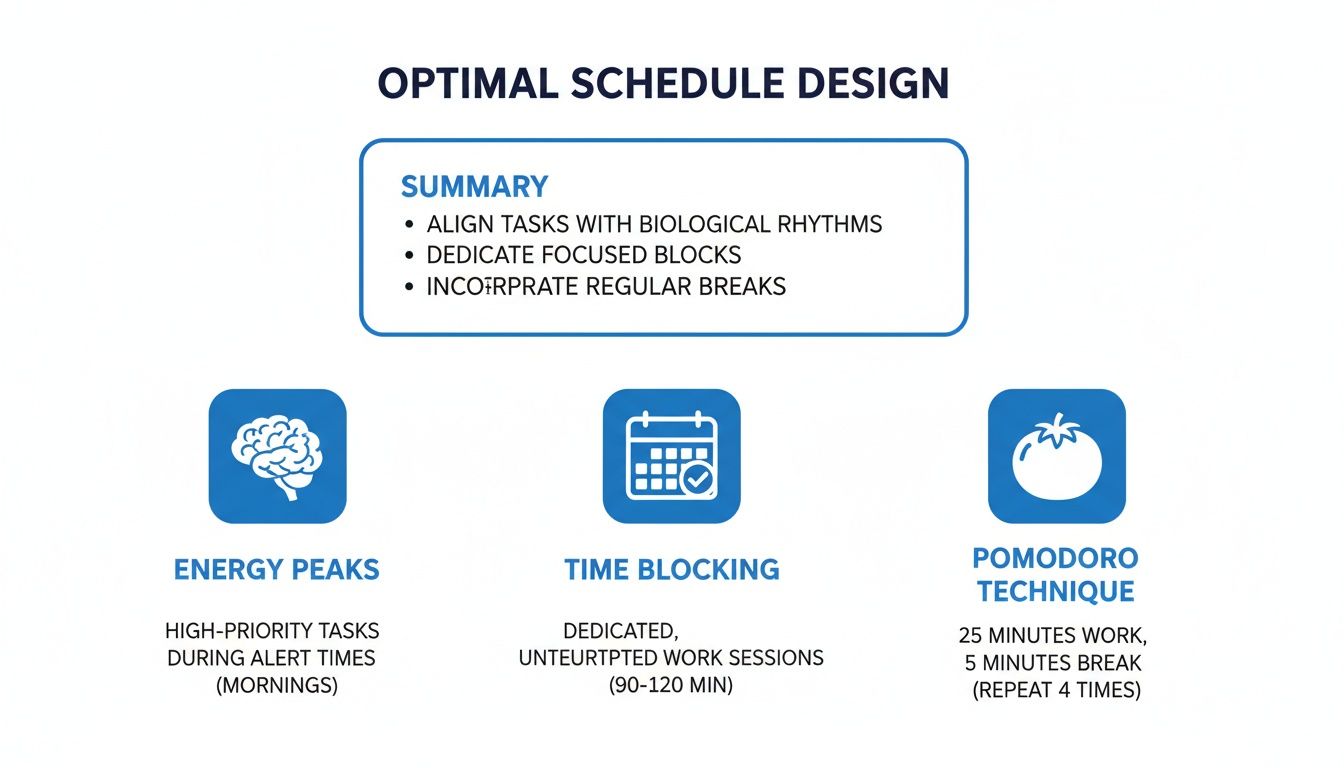
As you can see, the secret sauce is pretty simple: line up your hardest tasks with when you feel most alert, protect that focus time like a hawk, and lean on methods like the Pomodoro technique to stay in the zone without burning out.
The Remote Software Developer
For a developer, long, uninterrupted stretches of deep work are gold. Nothing kills productivity faster than bouncing between coding, meetings, and a flood of Slack messages. Their entire schedule is built around creating and defending those sacred blocks of focus.
Here’s a look at what a typical day might involve for a remote developer, broken down into a time-blocked schedule.
| Time Slot | Task/Activity | Purpose |
|---|---|---|
| 7:30 AM - 8:30 AM | Morning Routine | Coffee, quick workout, breakfast. No screens. Gently wakes up the brain. |
| 8:30 AM - 12:00 PM | Deep Work Block 1 | Prime coding time. Notifications off, focused on the day's toughest problem. |
| 12:00 PM - 1:00 PM | Lunch & Disconnect | A full hour away from the desk for a walk, lunch, or a quick errand. |
| 1:00 PM - 2:00 PM | Comms & Admin | Catch up on emails, Slack, and code reviews. Batches communication tasks. |
| 2:00 PM - 4:30 PM | Deep Work Block 2 | Another coding session or pair programming, depending on sprint goals. |
| 4:30 PM - 5:00 PM | Daily Wind-Down | Plan tomorrow, push final commits, and perform a clear shutdown ritual. |
This structure ensures that the most mentally demanding work gets the best brainpower, while administrative tasks are batched together to minimize disruptions.
The Customer Support Agent
A customer support role is often reactive, so the schedule needs to balance clearing out ticket queues with being available for live chats or calls. The whole day is structured to maintain energy and prevent the burnout that can come from constant customer interaction.
- 8:45 AM - 9:00 AM System Prep: Log in, get all the tools open, and review any overnight issues. This ensures a calm, prepared start to the day.
- 9:00 AM - 11:00 AM First Ticket Blitz: A high-focus period for clearing the morning ticket queue, often using the Pomodoro Technique—25 minutes of work followed by a 5-minute break—to stay sharp.
- 11:00 AM - 12:00 PM Live Channel Duty: Switch gears to handle live chats or phone calls, which demand more immediate, on-the-spot problem-solving.
- 12:00 PM - 12:45 PM Lunch Break: A strict, non-negotiable break away from the screen is crucial for decompressing.
- 12:45 PM - 2:30 PM Complex Case Resolution: Use post-lunch energy to dig into tougher support issues that require research or collaboration with other teams.
- 2:30 PM - 3:00 PM Team Sync & Learning: A quick breather for team huddles, training on new product features, or catching up on knowledge base articles.
- 3:00 PM - 4:45 PM Final Queue Clearing: Another focused block to tackle the afternoon rush of tickets and chats before the day ends.
- 4:45 PM - 5:00 PM Log Off Routine: Finalize case notes, flag anything for the next shift, and deliberately sign out of all systems to create a clear end to the workday.
The Freelance Graphic Designer
Freelancers are the ultimate jugglers, balancing multiple clients, creative projects, and the admin work of running a business. A freelancer's schedule is a masterclass in blending creative flow with client communication. With remote job opportunities in the U.S. having tripled since 2020 and expected to account for over 15% of all job postings, this kind of self-structured role is becoming more common. You can find more remote work statistics on strongDM.com that highlight this massive shift.
Here’s one way a freelance designer might theme their days for maximum efficiency:
- Mondays & Fridays: These are Admin and Planning Days. Mondays are for kicking off the week with client calls, sending invoices, and mapping out creative tasks. Fridays are for wrapping up projects, sending follow-ups, and planning for the week ahead.
- Tuesdays, Wednesdays, Thursdays: These are Deep Creative Days, structured to protect that precious creative flow.
- 9:00 AM - 12:00 PM: Project A - Creative Block. The morning is for the most creatively demanding project, with all distractions silenced.
- 12:00 PM - 1:00 PM: Active Break. Lunch plus something non-digital, like a walk or a quick sketching session, to refresh the mind.
- 1:00 PM - 3:30 PM: Project B - Creative Block. The afternoon is for a second client project to keep the momentum going.
- 3:30 PM - 4:30 PM: Client Communication Hour. One dedicated time slot to answer all emails and feedback. This prevents email from constantly derailing the creative process.
- 4:30 PM - 5:00 PM: Business Development. A bit of time for marketing, updating a portfolio, or networking.
Your perfect schedule won't be found in a template; it will be built through experimentation. Use these examples as a starting point, then listen to your own body and workflow to fine-tune a routine that makes you productive and, most importantly, happy.
The Best Tools to Manage Your WFH Schedule
A great plan is a fantastic start, but you need the right tech to actually bring it to life. A rock-solid work from home schedule isn't just about sheer willpower; it's about using smart tools that handle the organizing for you and fiercely protect your focus time. The secret is finding a simple set of tools that genuinely helps you, rather than becoming another chore to manage.
You don't need a dozen different apps to make this work. In my experience, most people who thrive working remotely stick to just a handful of core tools. This keeps things simple and prevents the technology itself from becoming a distraction.
Digital Calendars for Time Blocking
Your digital calendar is the absolute cornerstone of a structured remote day. Whether you use Google Calendar or Outlook Calendar, these tools are perfect for time blocking. This is how you turn a vague to-do list into a visual, concrete plan.
Don't just plug in your meetings. Start blocking out time for everything. Seriously. Put a two-hour block on your calendar for "Deep Work on Project X" or a dedicated 45-minute slot for "Clear Email Inbox." When you see your time visually committed like this, it’s so much easier to guard it and say no to last-minute requests that would throw your whole day off track.
Task Management Apps for Clarity
Staring at a massive to-do list is paralyzing. This is where task management tools like Todoist, Asana, or Trello save the day by helping you chop up overwhelming projects into small, manageable steps. This simple act is a game-changer for building momentum.
Think about a task like "Launch New Marketing Campaign." That’s huge and vague. But in a tool like Todoist, you can break it down into bite-sized pieces:
- Draft campaign brief
- Write ad copy
- Design social media assets
- Schedule posts
- Monitor initial performance
Breaking down big goals this way makes them feel instantly more achievable and gives you a clear path forward for the day.
The best productivity tools are the ones that reduce mental clutter. If an app adds more stress than it removes, it's not the right one for you. Simplicity always wins.
Focus Apps to Minimize Digital Noise
Let’s be honest: one of the toughest parts of working from home is fighting off digital distractions. Social media pings, breaking news alerts, and random notifications can completely shatter your concentration. This is where focus apps become your secret weapon.
Apps like Forest or Freedom are designed to do one thing very well: temporarily block distracting websites and apps. It's a simple idea, but it's incredibly effective. You can set a timer for a 25-minute work sprint, and the app will stop you from mindlessly scrolling Twitter or falling down a YouTube rabbit hole.
Using these tools is like sending your brain to the gym. You're training your focus muscle, and over time, you'll find you don't even need the app as much because you've built better habits.
Choosing Your WFH Tech Stack
Putting together your ideal toolkit is all about finding the right combination for your specific workflow. You really don’t need every tool mentioned here. The goal is to pick a few that solve your biggest headaches, whether that's organization or focus.
Here’s a quick breakdown of how these tools fit together:
| Tool Category | Primary Function | Popular Examples |
|---|---|---|
| Digital Calendars | Time blocking and scheduling | Google Calendar, Outlook |
| Task Managers | Project breakdown and tracking | Todoist, Asana, Trello |
| Focus Apps | Distraction blocking | Forest, Freedom, StayFocusd |
| Note-Taking Apps | Idea capture and organization | Evernote, OneNote, Notion |
My advice? Start with a solid calendar and a task manager. Once you get a good rhythm going with planning your time and your tasks, then consider adding a focus app if you still find yourself getting sidetracked. When you're intentional about the tools you choose, you build a support system that makes sticking to your schedule feel almost effortless.
Setting Boundaries to Protect Your Sanity
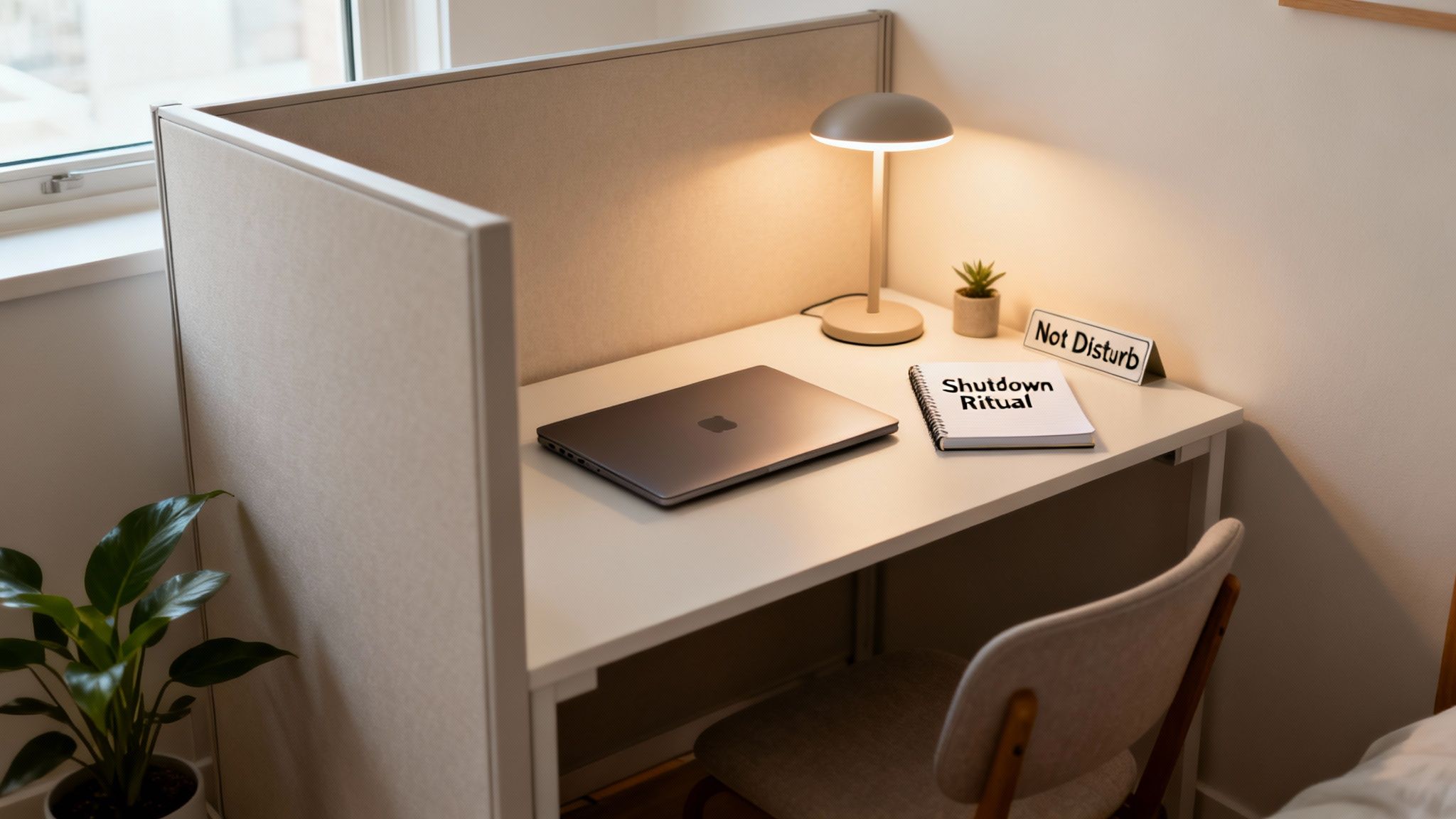
Crafting the perfect work from home schedule is a huge win, but it's only half the battle. The real challenge? Protecting it. When your office is just down the hall from your bedroom, the workday has a sneaky way of bleeding into your personal life, leaving you feeling like you're always on the clock.
This is where setting firm, intentional boundaries becomes absolutely non-negotiable. Think of these boundaries less like walls and more like clear signposts for your brain, telling it when to be in "work mode" and when it's time to switch off and recharge. Without them, you’re on a fast track to burnout. The good news is, this is a skill you can absolutely master.
Create Physical and Digital Separation
First things first, you need to create a tangible distinction between your work life and your home life. This isn't just about physical space; it’s about digital habits, too.
- Stake Your Claim on a Work Zone: Even if it’s just a corner of the dining room table, that spot is your "office." When you're there, you're working. When you leave, you’ve clocked out.
- Pack It Up: If you don't have a separate room, make a habit of packing away your laptop, notebooks, and any other work gear at the end of the day. The physical act of putting your work out of sight is a powerful mental cue.
- Silence the Pings: This one is huge. Turn off work-related notifications on your phone and computer after your scheduled hours. Nothing shatters your evening peace like a Slack alert at 9 PM pulling you right back into a work problem.
This separation is your ticket to reclaiming your personal time. For a deeper dive, our guide on how to set boundaries at work has even more powerful techniques.
Manage Expectations with Clear Communication
Here’s the thing about boundaries: they only work if other people know they exist. This means you have to communicate clearly and proactively with your team, your clients, and even your family. You're essentially teaching people how to respect your time.
Don't just assume your colleagues know you’re offline after 5 PM. A quick Slack status update—"Signing off for the day, back online at 9 AM!"—does the trick. The same goes for home life. Letting your partner or roommates know you have a can't-miss call from 2 to 3 PM can prevent a lot of frustrating interruptions.
"Your availability is something you control. Setting clear expectations isn't being difficult; it's being a professional who respects their own time and energy, which ultimately allows you to deliver your best work."
This proactive stance helps manage everyone's expectations and cuts down on the guilt that creeps in when you're not available 24/7. It's a critical part of learning how to achieve work-life balance without burning out—especially when your office and your home are the same place.
Implement a Powerful Shutdown Ritual
One of the most effective tools I've seen for enforcing a work-life boundary is the shutdown ritual. This is a simple, consistent routine that signals to your brain that the workday is officially done. It’s the modern-day replacement for the evening commute, creating that much-needed mental buffer between your professional and personal self.
Your ritual doesn't need to be some grand, complicated affair. A simple, three-step process you can stick to every day is perfect:
- Review and Plan: Take the last 15 minutes of your workday to look over what you got done and sketch out a to-do list for tomorrow. This gets everything out of your head so you aren't mentally replaying your work tasks over dinner.
- Organize Your Space: Tidy your desk, close out all your work tabs, and put your work computer to sleep.
- Do Something Un-Work: This is the final, definitive step. Change out of your work clothes, go for a quick walk around the block, or crank up a playlist. This action slams the door on the workday.
This consistent routine becomes a powerful psychological cue, giving you permission to fully disconnect. It's a key reason why so many people are thriving remotely. A recent study even found that 70% of professionals find it easier to do focused work from home and 65% report better stress management. These aren't accidents; they're the direct result of people creating schedules and boundaries that work for them.
Common WFH Scheduling Questions Answered
Even with a perfect plan on paper, putting a new work-from-home schedule into practice can be a bit bumpy. It’s completely normal to hit a few snags as you adjust. Let's walk through some of the most common questions and challenges that pop up when you're trying to get your remote routine just right.
Think of this as your go-to troubleshooting guide for the real-world problems that can throw a great schedule off course. Here’s how to get back on track.
How Do I Stay Productive with Kids or Family Around?
This is the big one, isn't it? For so many of us, this is the single biggest challenge of working from home. The secret isn't finding a magic wand for a quiet house; it's about getting really good at setting boundaries and being smart with your schedule. And your best tool for that? Clear communication.
Talk to your family about your "deep work" blocks—the times you absolutely need to focus. A simple sign on your office door can work wonders. If you have younger kids, try to line up your most important focus time with their naps or screen time. I’ve also found it helps to schedule short, dedicated family breaks. It lets everyone know they’ll have your undivided attention soon, which can make all the difference.
What if I Am Terrible at Sticking to a Plan?
First off, you're not alone. The world is full of people who just don't jive with a rigid, minute-by-minute agenda. If that sounds like you, stop fighting it. Ditch the hyper-detailed plan and try something more flexible, like theming your days or just using a simple priority list.
For example, instead of mapping out every hour, you could assign a theme to each day—Mondays for planning and admin, Tuesdays for creative work, Wednesdays for meetings. Another great method is to simply identify your three most important tasks for the day. As long as you get those three things done, the day is a win. This approach gives you structure without feeling like you're in a straitjacket.
A schedule is a tool to serve you, not a cage to trap you. If your current system isn't working, it's not a personal failure—it’s a sign that you need a different tool.
Should My WFH Schedule Be Flexible or Fixed?
Honestly, the best answer for most people is a mix of both. Think of it as "structured flexibility." This means you have solid anchor points in your day that don't change. Maybe you always start at the same time, take a real lunch break away from your desk, and have a firm log-off time. But within those blocks, you have freedom.
For instance, your 9 AM to 12 PM block might be dedicated to "Project A," but you get to decide which tasks for that project you tackle and in what order. This gives you the stability of a routine, which our brains love, while preserving the autonomy that makes remote work so great. The goal here is consistency, not rigidity.
Finding a company culture that respects your time is just as crucial as building the right schedule. RemoteWeek is designed to help you find remote tech jobs at companies that truly value work-life balance. You can stop scrolling through endless job boards and start your search with curated roles from top-rated employers at https://www.remoteweek.io.