
What Is a Video Interview and How to Excel in One
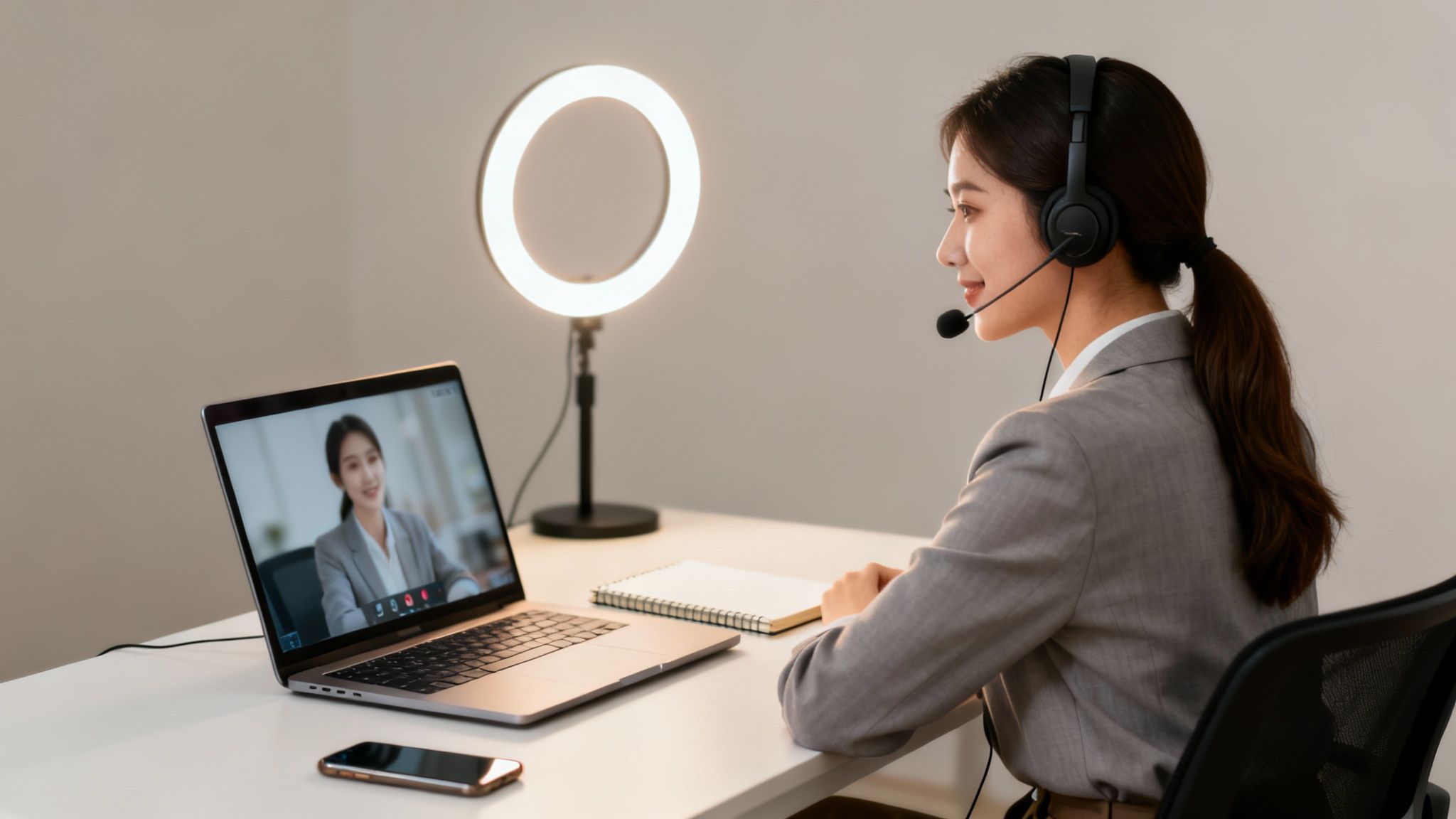
A video interview is pretty much what it sounds like: a job interview that happens remotely using video. But don't mistake it for just a phone call with a camera. It’s a completely different ballgame with its own set of rules and expectations.
Think of it this way: a live stage play and a recorded TV show both tell a story, but the medium changes everything about the performance. The same is true here.
Your Guide to the Modern Interview
Welcome to the new standard in hiring. Video interviews let companies and candidates connect from anywhere, breaking down geographical barriers and opening up a world of opportunities. This guide is your playbook for navigating it all.
We'll cover the two main flavors—live video chats and pre-recorded solo sessions—and look at the tech you'll be using. You'll also learn why companies are so keen on this format and get a step-by-step plan to help you prepare and nail your performance.
The New Normal in Recruitment
The move to virtual hiring isn't just a passing trend. It's a massive shift in how companies find talent. Video interviews are now a core part of the process, with a staggering 81% of recruiters using them regularly.
This isn't just a holdover from the pandemic, either. Nearly 69% of employers have made video interviews a permanent fixture in their hiring routine. Even more telling, 93% of companies that use them plan to stick with them for the long haul.
A video interview isn't just a logistical shortcut; it's a test of your adaptability, tech-savviness, and ability to communicate effectively on camera. Getting this right gives you a real edge in the modern job market.
Mastering the Format
To succeed, you have to understand the nuances of this format. It demands a different kind of prep work, from staging your background to practicing your on-screen presence. It’s a skill in and of itself.
For keeping detailed records and analyzing your performance later, learning how to transcribe an interview like a pro can be an incredibly useful skill. By treating the video interview as a unique challenge, you can make a strong, professional impression that goes well beyond just having the right answers.
Before we dive deeper, here's a quick look at the core concepts.
Video Interview Fundamentals at a Glance
This table breaks down the essentials of what a video interview is, the forms it takes, and why it's become such a go-to tool for hiring managers.
| Concept | Description | Primary Use Case |
|---|---|---|
| Video Interview | A remote job interview using video technology to connect candidates and employers. | Screening candidates early, bridging geographical gaps, and accelerating the hiring process. |
| Live Format | A real-time, two-way conversation with an interviewer, similar to an in-person meeting. | Deeper, more personal interviews where interaction and follow-up questions are key. |
| Recorded Format | A one-way interview where candidates record answers to preset questions on their own time. | High-volume screening at the initial stages to efficiently assess a large pool of applicants. |
Think of this as your starting point. Now, let's get into the specifics of what you'll encounter and how to prepare for each type.
Live vs. Pre-Recorded Video Interviews
So, you've landed a video interview. Great! But before you start prepping, it's crucial to know exactly what you're walking into. Not all video interviews are the same, and the term actually covers two very different formats. Figuring out which one you’ll be doing is step one, because each requires a completely different game plan.
Essentially, it all boils down to two main categories: live interviews (synchronous) and pre-recorded interviews (asynchronous). Knowing the difference will make or break your preparation.
This quick visual breaks down the two paths your interview might take.
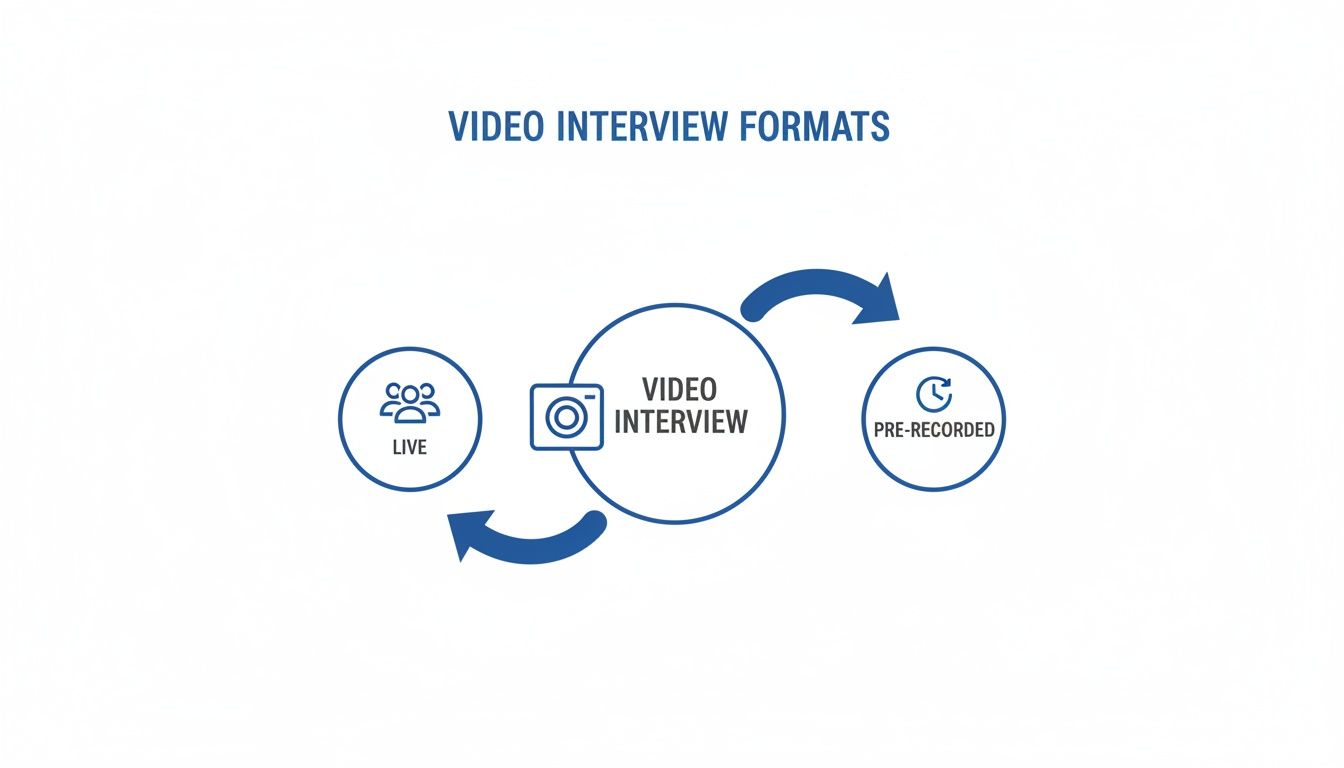
As you can see, every video interview is either a real-time conversation or a one-way recording. Each serves a very specific purpose for the hiring team.
Live Synchronous Interviews
Think of a live video interview as a classic, face-to-face interview that just happens to be conducted over a screen. It’s a real-time, two-way conversation between you and the interviewer (or a whole panel) on platforms like Zoom, Google Meet, or Microsoft Teams.
This format is all about creating a genuine connection. The interviewer can dig deeper with follow-up questions, you can ask for clarification, and you can build a natural rapport. It's the closest you can get to sitting in the same room, and it’s a great test of your ability to think on your feet.
A live interview is a direct test of your interpersonal and communication skills. Your ability to listen, react, and connect with the interviewer in the moment is just as important as the content of your answers.
Pre-Recorded Asynchronous Interviews
A pre-recorded interview, sometimes called a one-way interview, is a whole different beast. Here, the company sends you a link to a platform where you'll find a list of questions. You then record your answers on your own, talking directly to your camera. There's no one on the other end.
It can feel a little strange at first, almost like you’re leaving a series of very polished video voicemails. Typically, you’ll get a few seconds to read the question and then a strict time limit to record your answer.
This format is designed to test your preparation, clarity, and ability to be concise. Since you can’t rely on conversational back-and-forth, how well you present yourself and structure your answers is everything. Companies often use this for early screening rounds to efficiently review a high volume of candidates, since everyone answers the exact same questions under the exact same conditions.
Why Companies Use Video Interviews
Ever found yourself wondering why you're suddenly staring into a webcam instead of shaking hands across a conference table? This big shift to video interviews isn't just about companies hopping on the latest tech trend. It's a smart, strategic move that gives them some serious advantages.
For employers, it all comes down to three big wins: speeding up the hiring process, saving a ton of money, and finding talented people from anywhere in the world.
Faster Hiring and a Wider Net
Put yourself in a recruiter's shoes for a moment. With pre-recorded video interviews, they can review dozens of candidates in the same amount of time it used to take to do a few phone screenings. This lets them quickly spot the most promising people and get them to the next stage before another company does.
The cost savings are a huge factor, too. Think about it: no more paying for flights, hotels, or the logistical headache of syncing schedules across multiple time zones. It all adds up, and video interviews wipe those costs right off the books.
And the numbers back this up. A full 45% of recruiters say video interviews slash their hiring costs. It’s no wonder that 21% of employers now call it their single most effective hiring tool, a massive jump from just 11% back in 2020. You can dig deeper into these video recruitment trends on Evalufy.com.
But maybe the biggest perk of all is that location no longer matters. A startup in Austin can easily interview a top-tier developer in Seattle without anyone needing to pack a bag. This completely breaks down the geographical walls that used to limit hiring.
The New Normal for Finding Talent
By opening up the search to a national or even global scale, companies aren't stuck with just the applicants who live within driving distance. This is a game-changer, especially when they're hunting for someone with a very specific or rare set of skills.
For employers, a video interview is a tool that maximizes efficiency and reach. It allows them to find the best possible candidate for a role, not just the best candidate who happens to live nearby.
This simple change turns a local search into a worldwide talent hunt. For businesses building out remote teams, knowing how to hire remote employees is everything, and video interviews are the gateway to doing it right.
When you see it from this angle, the video interview feels less like a weird, impersonal obstacle and more like what it is: a modern tool that helps both you and the employer find the perfect match. It's your ticket to connect with great companies you otherwise might never have had a shot with.
Creating Your Professional Interview Space
When you step into a video interview, your environment is more than just a background—it’s the first impression you make. Think of it as your digital handshake. Getting your space set up correctly is all about making sure the focus stays right where it should be: on you and your skills.
It's a bit like setting the stage for a play. You want the spotlight on the main character, not on a flickering light or a noisy radiator in the background. The goal is to create a setting where you can confidently present yourself without any technical hiccups or visual distractions.
Nail Your Background and Lighting
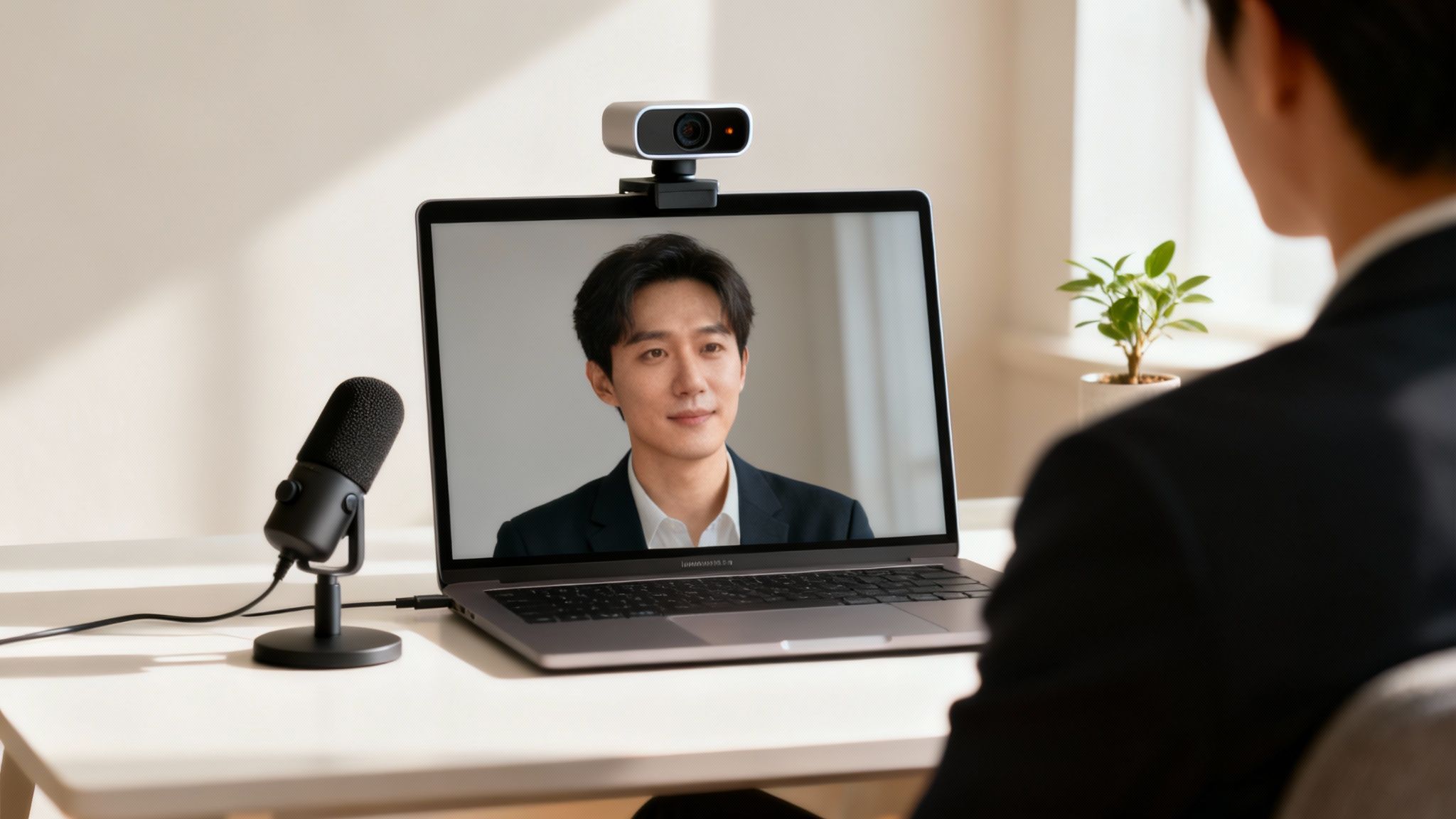
Your background should be clean, simple, and uncluttered. A neutral wall or a tidy bookshelf works great. The main thing is to remove anything that might pull the interviewer's attention away from what you're saying, like a messy pile of laundry, wandering pets, or personal posters.
Lighting is just as important, and thankfully, it’s easy to get right. The number one rule is to have your main light source in front of you, not behind. This lights up your face and keeps you from looking like a shadowy figure.
Sitting in front of a window is perfect. If that's not an option, a simple desk lamp or a ring light placed behind your camera will do the trick. Just avoid sitting with a bright window behind you, or you’ll end up as a silhouette.
Get Your Tech Toolkit Ready
Your laptop’s built-in camera and mic can work in a pinch, but a few small upgrades can dramatically boost the quality of your call. Here’s a quick rundown of the tech you’ll want to have sorted before you log on.
- A Solid Internet Connection: Nothing kills an interview vibe faster than a choppy connection. A wired Ethernet cable is always the most stable option. If you're on Wi-Fi, try to be as close to your router as possible and politely ask anyone else at home to avoid heavy streaming during your call.
- A Clear Webcam: While most new laptop cameras are pretty good, an external 1080p webcam will give you a much sharper, more professional look. Make sure to position it right at eye level—this helps you look directly at the interviewer and creates a natural sense of eye contact.
- A Quality Microphone: Believe it or not, your audio quality is often more critical than your video. An external USB mic or even a headset with a built-in microphone will make your voice sound much clearer than your computer’s default mic and will cut down on annoying echos or background noise.
To make sure everything is good to go, I always recommend running through this quick checklist beforehand.
Your Pre-Interview Tech and Environment Checklist
| Category | Action Item | Why It's Important |
|---|---|---|
| Internet | Run a speed test and connect via Ethernet if possible. | Ensures a stable, lag-free conversation. |
| Video | Test your webcam and position it at eye level. | Provides a clear, professional image and simulates eye contact. |
| Audio | Test your microphone and wear headphones to prevent echo. | Guarantees the interviewer can hear you clearly without distraction. |
| Lighting | Place your primary light source in front of you. | Illuminates your face and avoids creating a silhouette. |
| Background | Tidy up your space or use a simple, neutral background. | Keeps the focus on you, not your surroundings. |
| Notifications | Close unnecessary tabs and silence your phone/computer alerts. | Prevents interruptions that can break your concentration. |
| Practice Run | Do a test call with a friend or use the platform's test feature. | Catches any technical issues before the real interview starts. |
Running through these steps might seem tedious, but it's the best way to walk into your interview feeling prepared and confident.
A full tech rehearsal is non-negotiable. Before your interview, do a trial run with a friend or use your video platform's test feature to check your camera, audio, and internet connection. Catching a problem beforehand prevents panic during the real thing.
These elements are fundamental for anyone serious about remote work. To dig deeper, check out our complete guide to setting up a home office for remote work. By taking a little time to prepare your space, you create a professional environment where your skills can truly take center stage.
How to Prepare and Perform with Confidence
Now that your tech is sorted, let's get to the important part: you. A great video interview is less about the equipment and more about mastering the human element of on-screen communication. The key is to treat it with the same gravity as an in-person meeting, from what you wear to how you connect with the person on the other side of the screen.
Confidence doesn't just appear—it's built on solid preparation. Think of it this way: it’s not just about what you plan to say, but how you’ll come across through that tiny camera lens.

Master Your On-Camera Presence
In a video call, your webcam is the interviewer's window into your world. To make a real connection, you need to look directly into the camera lens when you're talking. I know, it feels weird to talk to a little green light instead of the person's face on your monitor, but from their perspective, it’s the only way to simulate direct eye contact. It makes a huge difference in how engaging you appear.
Your appearance sends a message before you even say a word. Dress professionally from head to toe, not just from the waist up. You never know if you'll need to stand up unexpectedly, and frankly, dressing the part helps put you in a more professional headspace.
Of course, what you say and how you say it matters most. Honing your verbal and non-verbal delivery is critical for any interview. If you want a deep dive, there are fantastic guides on the essential communication skills for interviews that can give you a real edge.
Structure Your Answers for Impact
Sooner or later, you're going to get hit with a behavioral question—those "tell me about a time when..." prompts. Having a simple framework ready is a lifesaver. This is where the STAR method comes in; it's a brilliant tool for telling a compelling story that showcases your skills.
Here’s the breakdown:
- Situation: Set the scene. What was the project or challenge?
- Task: What was your specific role? What goal were you trying to hit?
- Action: Walk them through the steps you took. This is the core of your story, where you highlight what you did.
- Result: End with the outcome. What happened because of your actions? Use numbers and concrete examples to make it stick.
Following this structure keeps you from rambling and ensures your answers are focused, clear, and tied to a positive outcome. It turns a simple anecdote into a memorable example of your competence.
Think of the STAR method as building a mini-case study on the fly. It gives the interviewer a clear beginning, middle, and end, showcasing not just what you did, but why it mattered and the impact it had.
Show Genuine Interest and Engagement
Great preparation goes beyond just practicing your own answers. Dive deep into the company. Look up their recent projects, read their latest news, and get a feel for their values. This isn't just for show; it allows you to tailor your responses and, more importantly, ask really good questions.
You should always have at least three thoughtful questions ready to ask the interviewer. Skip the basic stuff about salary or vacation days for now. Instead, ask about the team's biggest challenges, what success looks like in the role, or opportunities for growth. Asking smart questions shows you’ve done your homework and that you aren't just looking for any job—you're genuinely interested in this one. That kind of engagement is what separates a good candidate from a great one.
Tackling Common Video Interview Questions
Even with the best preparation, things can go sideways. You can plan for almost everything, but what happens when the dog starts barking, your Wi-Fi suddenly dies, or you just don't know how to gracefully end the call? It's these real-world curveballs that can cause the most stress.
Let's walk through how to handle these common hiccups. Think of this as your troubleshooting guide for the human side of the interview. Honestly, showing you can stay cool and professional when things don't go perfectly is a skill in itself—one that recruiters definitely notice.
How Should I Follow Up After the Interview?
The rules for following up after a video call are pretty much the same as for an in-person one, with just a digital touch. The trick is to be quick, professional, and add a personal touch.
Try to get that thank-you email out the door within 24 hours. It’s a simple move that keeps you top of mind and shows you're genuinely interested in the role.
A few tips to make your follow-up note stand out:
- Make it Personal: Don't just send a generic "thanks for your time." Mention something specific you talked about that you found genuinely interesting. This proves you were listening and helps the interviewer remember who you are.
- Connect the Dots: Gently remind them why you're a great fit. A quick line like, "I really enjoyed hearing about the team's upcoming project, and it got me thinking about how my experience with [your skill] could help you hit those goals," works wonders.
- Keep It Brief: Nobody wants to read a novel. A few sharp, well-written paragraphs are all you need to make a fantastic impression.
Following these steps makes your follow-up feel authentic and professional, not like a copy-and-paste template.
What If I Experience a Technical Problem?
Tech glitches are a fact of life. They happen to everyone, from new grads to CEOs. The key isn't if it happens, but how you handle it when it does. If your audio cuts out or your connection drops, the first rule is: don't panic.
Your first move should be to try and rejoin the call immediately. If you get back in quickly, a simple, "So sorry about that, looks like my connection briefly dropped," is perfect. It shows you can recover from a minor setback without getting flustered.
If you can't get back into the meeting, shoot the interviewer a quick email. Explain what happened and suggest a backup plan, like finishing the conversation over the phone.
Your calm, proactive response to a technical glitch can actually say more about you than a perfectly smooth interview. It shows real-world problem-solving skills and resilience right when it matters.
How Do I Handle Unexpected Interruptions?
You've done it all—you locked the door, silenced your phone, and gave everyone a heads-up. But then the delivery driver rings the bell, or your cat decides to make a cameo. It’s a classic remote work scenario.
When an interruption happens, the best thing you can do is handle it with a cool head. Acknowledge it with a quick, "My apologies for that noise," and then immediately bring your focus back to the conversation. Most interviewers get it; many of them are working from home, too.
The goal here is to show that a minor distraction won't throw you off your game. Your ability to smoothly get back on track is what they'll remember, not the interruption itself.
What Questions Should I Ask the Interviewer?
This is your moment to shine. Asking smart, thoughtful questions turns the interview from a one-sided grilling into a real conversation. It's one of the best ways to show you're truly engaged.
Come prepared with at least three to five questions that dig deeper than what you can find on their "About Us" page. Your questions should help you get a real feel for the team, the company culture, and what it actually takes to succeed in this role.
To get your ideas flowing, we've put together a great list of powerful remote job interview questions to ask. Having insightful questions ready shows you’re not just looking for any job—you’re looking for the right job. That kind of intentionality leaves a lasting impression.
Finding the right remote role means finding a company that truly values its people. At RemoteWeek, we curate job listings exclusively from companies with strong employee satisfaction and positive workplace cultures. Start your search for a better remote career today at https://www.remoteweek.io.